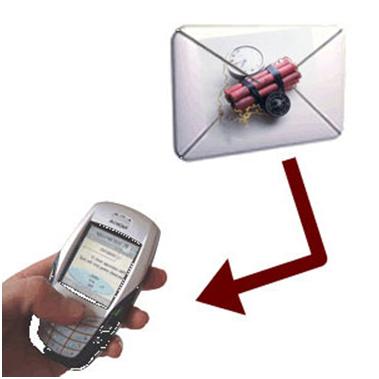
If the trojan has been entered into the system, he will get the same access rights as you and disguised as system services (system services). Mechanism similar to remote control PC software.
TeamViewer popular remote control (www.teamviewer.com) noodles for example, openly on its website their software can work without problems even though there Firewall protection, NAT router, and ports are blocked. TeamViewer to install itself as a Windows service so that users have appropriate access rights such as "System". In other words, he has access to the same level with Windows.
In addition, TeamViewer which communicates via port 80 is vital in the HTTP connection (this is not blocked). Thus, it is clear the firewall will not be powerless against TeamViewer because he could not block Windows and Internet connection.
If TeamViewer is a malicious program, he can transfer a variety of your valuable personal data to other PC or other activities without creating alarm firewall.
Security: fortify your PC
Weaknesses firewall that had been mentioned of course invites the question, still need a firewall? The answer, if configured correctly, a firewall can provide important information about system security and prevent hackers to spy on the security hole from the outside. However, if faced with trojans and malware, a firewall is not helpless. You need special software that can ward off malware on your hard disk. Now, create a defense system that could ward off various attacks that have been mentioned above.
it all off: As a firewall, PC Tools Firewall Plus software is worth a try. On the firewall security package, such as F-Secure Internet Security, use the standard configuration for a variety of other modules (antivirus and spyware) have been optimized with each other. Before you start the one program, disable the default Windows firewall in order not to block each other. Necessary to note also is the hardware / router firewall. The latter is usually not easily disabled. If the router is attached NAS devices such as hard disks, of course you can not disable the firewall to the NAS remains protected. Router users better resoure disable firewall to desktop systems that can return unused available.
Back to the setup process PC Tools Firewall Plus, decline option "Spyware Doctor" and select "Experts". Once completed, the tool icon in the taskbar and select "Settings" in the display operation. In the "General" tab set the slider to "Block All".
In addition, also disable the option "Automatically Allow Known applications', so escape is not a trojan in disguise. Next, open the Windows Task Manager with [Ctrl] + [Alt] + [Del]. In the tab "Network" there should be no packet of data sent or received.
SETTING RULE: If the PC has been isolated, pull back the settings slider to "Ask". Next, run a browser and Internet connection allowed through the "Allow". Through the "Applications" and the "In" and "Out" you can determine if the application is only sending or receiving data or both. In setting "Rules-based", the firewall provides various filter rules defined by an individual.
In the same way, set up rules for e-mail program, Antivirus, and other software that normally require an Internet connection. Note the instructions firewall to always block all the things you do not know. If a program or service under the "Applications" you've never heard of, find information on the Internet via Google.
In addition, through the "Activity", check what software is doing the activity on the network. With a click on the "Connections" in the "Remote Address", it seems the IP address of the PC destination. Enter the IP address in www.domaintools.com / reverse-ip to know, who's behind it.
Tapping On the PC Tools Firewall Plus, check which ports are used a program to send or receive data. Through "Connections" can know the IP address of the recipient.
CONTROL firewall: Finally, check whether the firewall has to make your PC invisible to hackers? Visit the website www.auditmypc.com and after free registration, select "Firewall Test" to test the toughness of protection against hacker attacks. If your firewall is configured correctly, your PC is relatively safe.
Next, the firewall log file. There you can read, when data packets are sent or received, blocked or allowed, through which ports are sent and who the recipients. In the PC Tools Firewall Plus click on "Log". Packets marked out the incoming arrows and blue-green. IP address under the "Source / Target" can be determined through reverse-IP search as described above. Whether the port is often used trojan can be detected through www.sans.org / security-resources / idfaq / oddports.php.
Now, control your PC has been returned. From the outside, a hacker can not identify your PC and find security gaps. To ward off attacks from the inside, see the step by the following stages.
PERFECT PROTECTION: If malware can still break into your PC even if the firewall is configured correctly, run the Antivirus to identify and get rid of him. For an acute attack, you can use programs like Dr. Web CureIt. Furthermore, for long-term protection, available Antivirus less resource consuming PCs, such as Avira Antivir Personal or F-Prot Antivirus.
Remember, Antivirals are only effective if the malware has been known by the manufacturer. Depending on the completeness of malware detection signatures held each Norton Antivirus.
As additional protection, use Snort also can counteract the threat of the unknown (Zero Day Exploit). Snort effectively reveal the trojan because her eye on the data flows directly to an ethernet card (network card). To minimize vulnerabilities PC, activate the Automatic Windows Update. Security problems in existing software (already been installed) on your PC can be "patched" with a specialization program Hotfix, which Secunia Personal Software Inspector. Remember, all precautions have been done will not be effective if you are still recklessly opened the e-mails from unknown senders or visit the various websites that are not clear. The best protection is your own PC.
10. Firewall Rules
1.Don't use double firewall
Some firewalls can be active at the same time blocking each other so that the risk of making your PC crashes.
2.Block all unknown
If there is a Windows service 'wklsd45xqy.exe' who want to send a data package? Block long as you do not know, what exactly do the service and who the recipient of the package.
3.Respect to the files. LOG
Only in the LOG file of the firewall you can read, anything that happens at various ports on your PC.
4.Don 't let alone firewall
Firewalls can not ward off viruses and trojans. Therefore install the Antivirus, Antispyware, and Intrusion Detection Systems (IPS).
5. Open security holes
If the browser has security holes, various malware \ directly into the firewall undetected. Therefore, you are obliged to do regular updates.
6.Don 't rely on NAT router
Router with NAT (Network Address Translation) is integrated to guess the proper recipient through heuristic mechanism. Thus, he avoided identification by IP address. This can be exploited by hackers.
7. Non-active unnecessary Services
Each Windows service that runs in the background without your knowledge risk invite viruses and hackers. Turn off the various services Windows are not needed (used) system.
8. Reject through
Firewalls can be rejected without comment the unused port request (Stealth mode) or with answers such as 'Service could not be contacted' (Reject mode). The latter prevents unnecessary alarms.
9.Don 't ignore all the warnings
If the window is open the firewall, see the contents of the warning. If not, you risk infiltrated by a trojan or other malware.
10.Appropriate Windows Configuration
Do not allow anyone on the Internet can access your files and printer. If allowed, even the best firewall will not be helpless.


 Posts
Posts